
Getting started · Subscription
Manage your subscription and pay
See your package, renew or change it, pay by bank transfer, JazzCash or Easypaisa, and download receipts from the Subscription page.
The Subscription page shows your package, its status, the date it is paid until, what it includes, your add-ons and your payment history. You also pay and renew here.
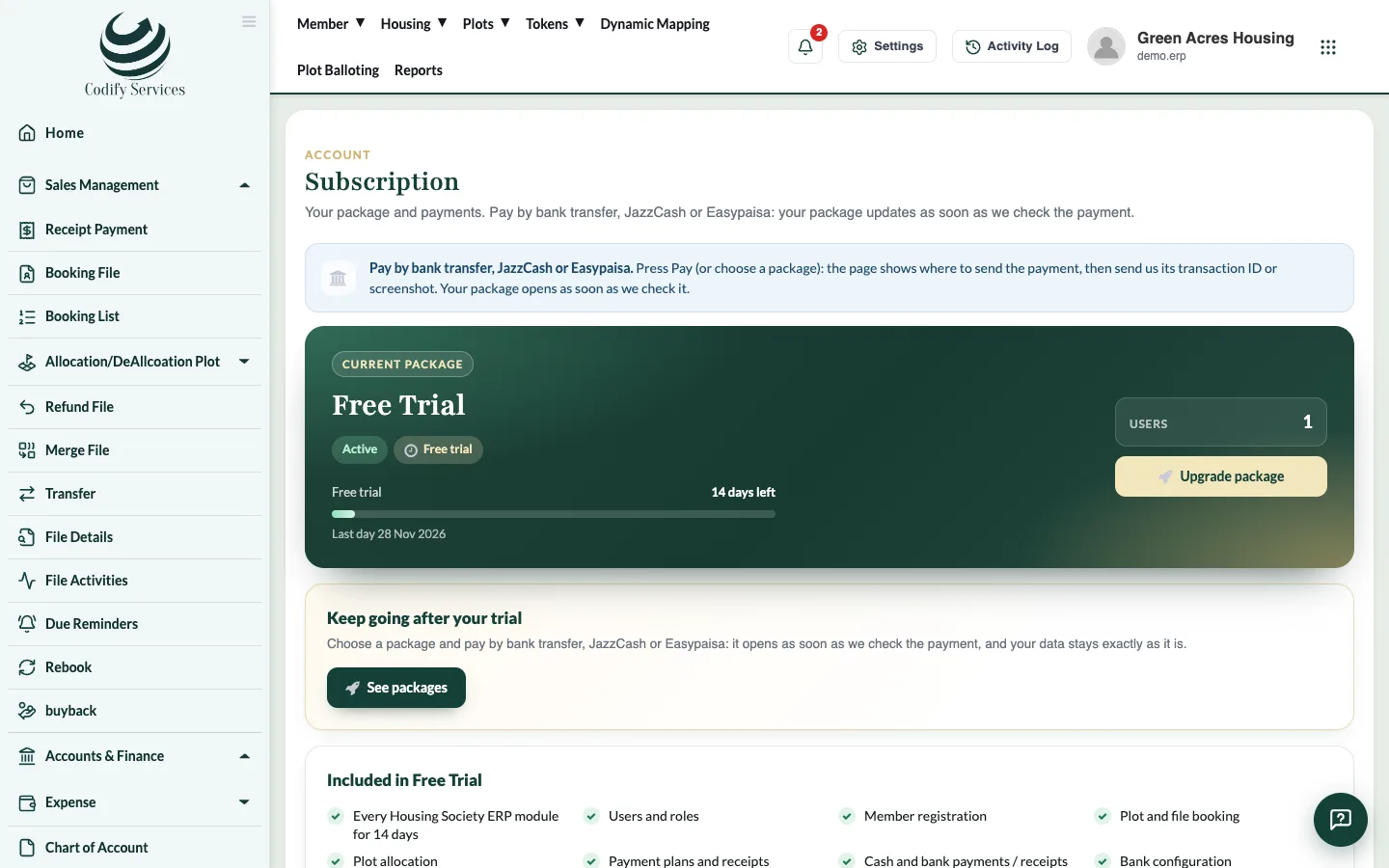
Steps: pay or renew
- Click your picture at the top right and press Subscription (or Settings > Organization > Subscription).
- Press Renew now (or Renew early), or Choose a package / Change package to pick another package, monthly or yearly.
- A window shows the amount and Codify's bank, JazzCash and Easypaisa accounts. Press Copy to copy an account number.
- Pay into one of these accounts from your bank or wallet app.
- Under 2. Send us the transaction ID or a screenshot, choose how you Paid by, enter the Transaction ID / reference and/or attach the screenshot (photo, screenshot or PDF, 5 MB at most).
- Press Send for checking.
The payment shows as Being checked under Payment history. Your package opens or is extended as soon as Codify approves it. WhatsApp us lets you message Codify about the payment.
Good to know
- Only users with the subscription permission see this page (the Super Admin role has it).
- If card payment is switched on for your account, Pay opens a secure card payment page instead, and the package updates the moment the payment goes through.
- Each payment's Receipt is under Payment history.
- Only one payment for the same thing can wait for checking at a time.
- A banner at the top of every page tells you when your subscription is ending or a payment is due.
- If a renewal is not paid, the subscription becomes past due at the end of the period and is suspended after the grace days. Then only the Subscription page opens until you renew. Your data is never lost.
- Prices: see https://codifyservices.com/pricing/.
Related
More in Subscription
Add or remove add-on modulesAdd extra modules such as Billing & Invoicing, HR, CRM or Land Management to your package, or remove them at the end of the period.Use several Codify products with one account (My Codify)Connect your company's Codify products in My Codify, open any of them with one sign-in, add a product and pay one combined bill.What happens when your free trial endsAfter the free trial the software becomes read-only. You can see everything but change nothing until you choose a paid package.