
Codify Store (POS) · Reports and accounts
Store reports
See profit and loss, daily sales, product and category sales, cashiers, payment methods, tax, purchases, stock and low stock.
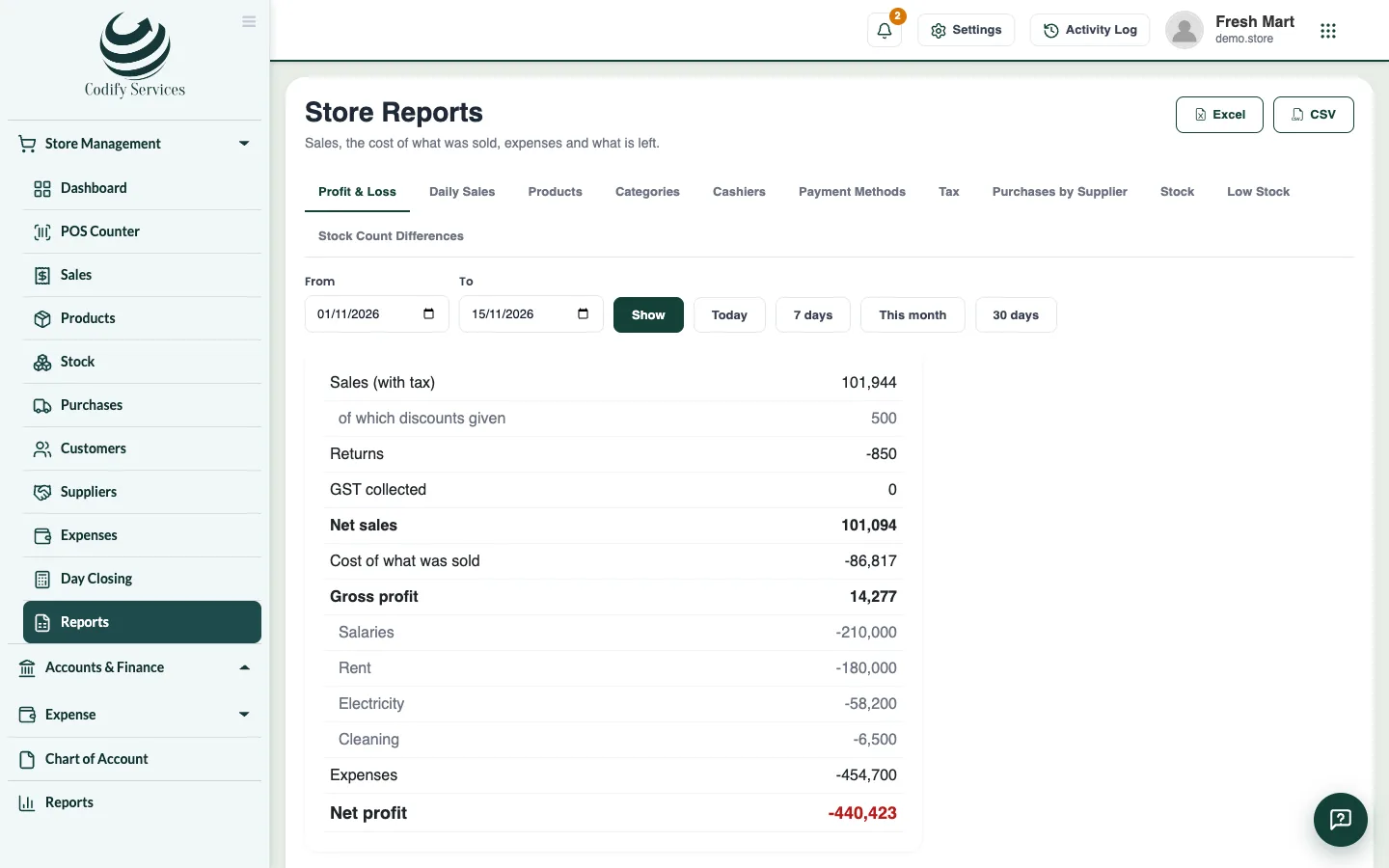
Store Reports shows how the shop is doing. Pick a report, choose the dates, and export it to Excel or CSV.
Steps
- Open Sidebar > Store Management > Reports.
- Choose a report:
- Profit & Loss: sales, the cost of what was sold, expenses and what is left.
- Daily Sales: sales, returns and profit of each day.
- Products and Categories: what each sold and earned (returns taken off).
- Cashiers: sales of each cashier.
- Payment Methods: cash, card, wallet and on account.
- Tax: tax collected on sales less tax paid on purchases, at each rate.
- Purchases by Supplier: what was bought from each and what is still owed.
- Stock and Low Stock: stock and its value now, and products at or below their reorder level.
- Locations: sales, profit and stock value of each shop or warehouse.
- Stock Count Differences: what each finished count found more or less.
- Choose the dates (Today, 7 days, This month, 30 days, or From and To) and the Location, and press Show.
- Press Excel or CSV to download it.
Good to know
- On Products, tick Add up sizes / colours under their product to see variants together.
- Profit, cost prices, stock value and the money reports need Can View Store Reports. A cashier sees only Low Stock.
- The dashboard shows today's sales and profit, this month, stock value, what customers and suppliers owe, best sellers and low stock.
Related
More in Reports and accounts
Ready to try it? Open Codify Store (POS)