
Codify Store (POS) · Customers and promotions
Customers and credit sales
Add customers, sell to them on credit (udhaar), receive their payments and print their account statement.
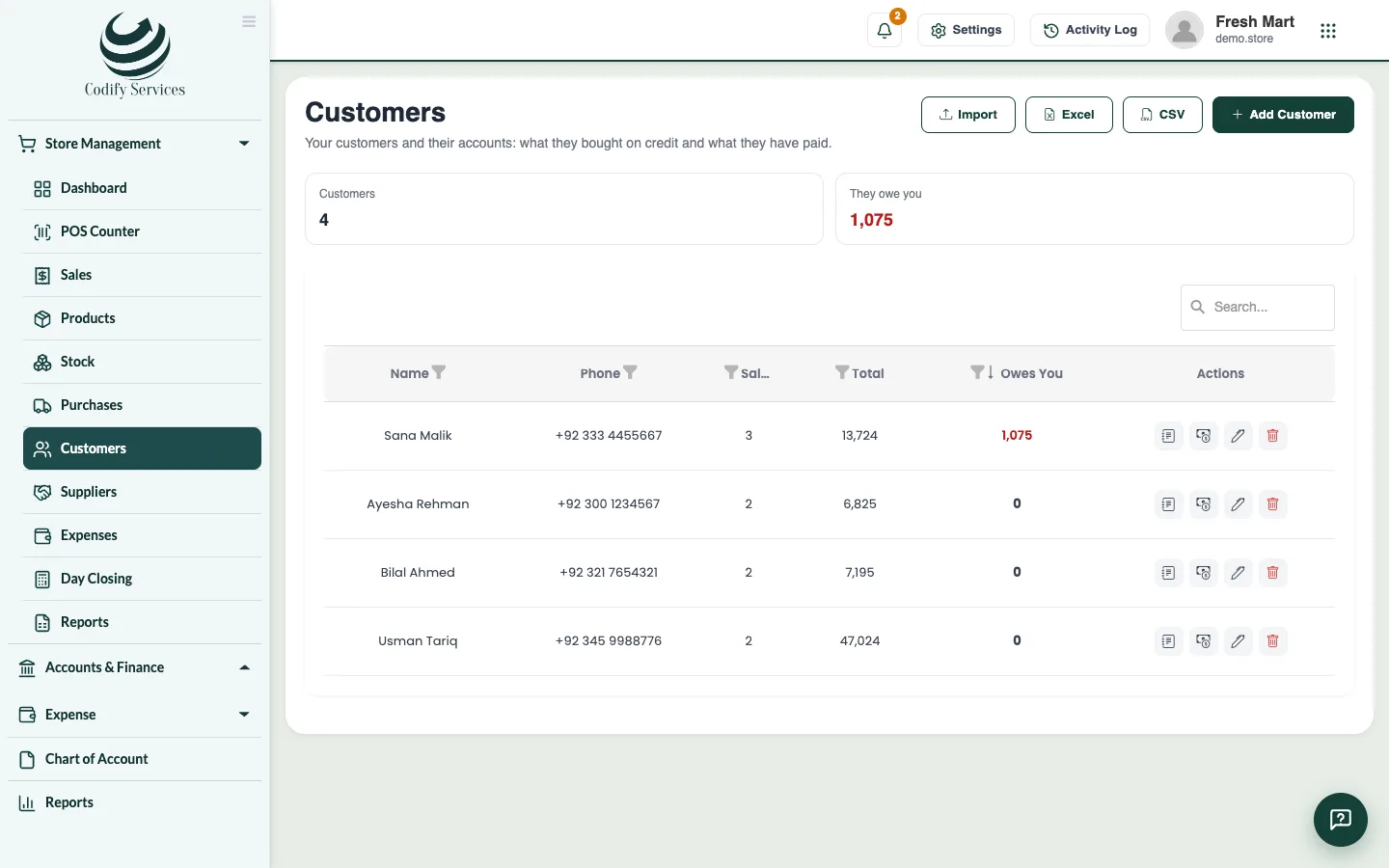
Customers lets you sell on credit and keep each customer's account: what they bought on credit, what they paid and what they still owe.
Steps
Add a customer
- Open Sidebar > Store Management > Customers.
- Press Add Customer.
- Enter the Name, Phone, Email and Address and press Save.
Receive a payment
- Press Receive payment on the customer's line.
- Enter the Amount, how it was Paid by, the Date and a Note.
- Press Save payment.
Print the statement
- Press Statement on the customer's line. It shows every entry with the running balance.
- Press Print.
Good to know
- To sell on credit, choose the customer at the POS and pay On account, or put part of the sale on their account.
- Cash taken today goes into your open register.
- Press They owe you to show only customers who owe. A negative balance shows as an (advance).
- Customers are the same list as the Billing customers of your company.
- You can import customers from Excel with Import.
Related
More in Customers and promotions
Loyalty points and gift cardsLet customers earn points on what they buy and pay with them, and sell, top up and accept gift cards at the counter.Promotions, coupons and price listsRun discounts, happy hours, buy X get Y and bundle deals, give coupon codes, and set wholesale or special prices for some customers.
Ready to try it? Open Codify Store (POS)