
Codify Store (POS) · Buying and suppliers
Record shop expenses
Record what it costs to run the shop (rent, electricity, salaries), paid from the bank or out of the open register.
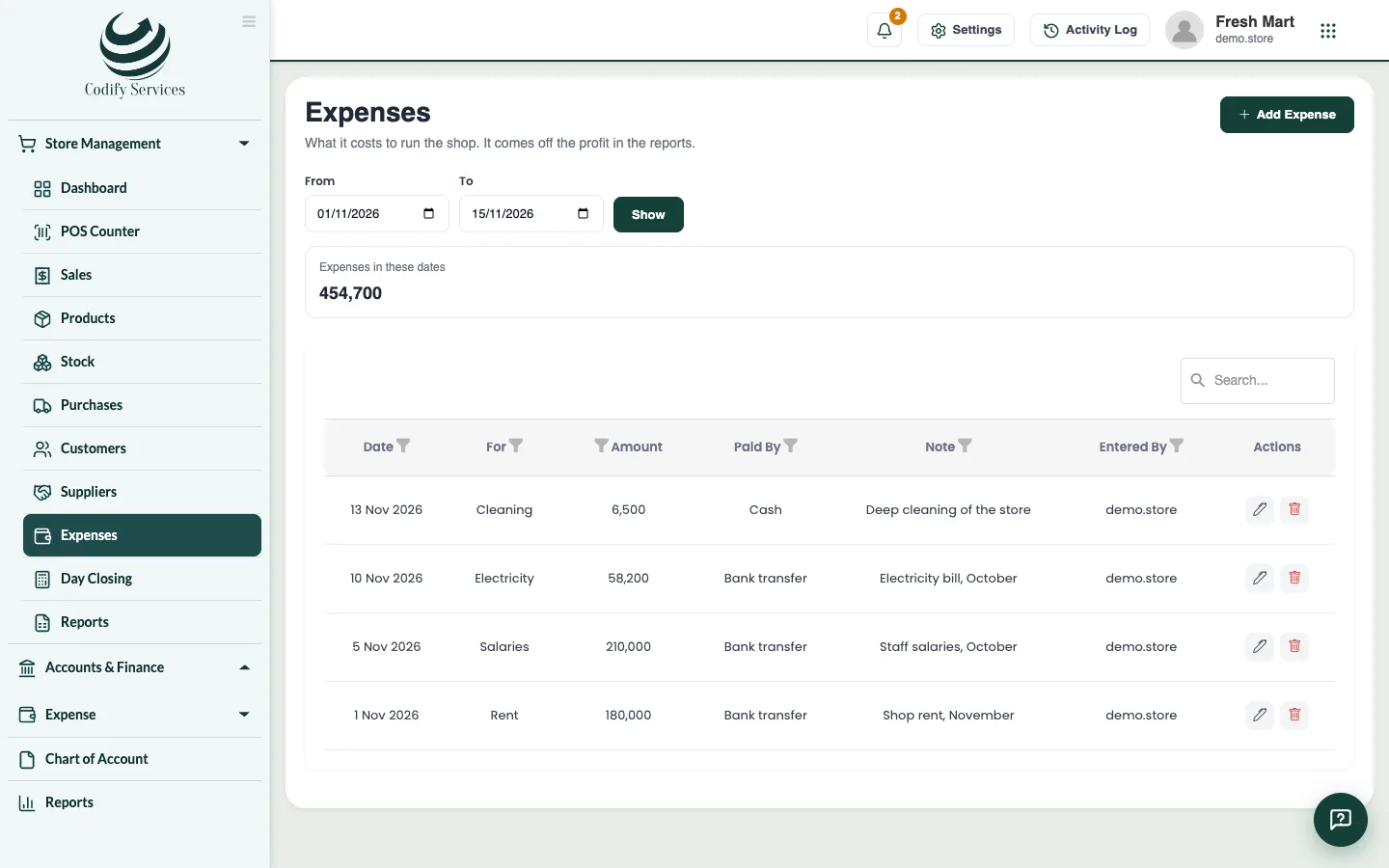
Expenses are what it costs to run the shop: rent, electricity, salaries and so on. They come off the profit in the reports.
Steps
- Open Sidebar > Store Management > Expenses.
- Press Add Expense.
- Enter the Date, what it is For and the Amount.
- Choose how it was Paid by.
- For cash taken from the drawer, tick Paid out of my open register (counted at day closing).
- Add a Note and press Save.
Good to know
- Choose From and To and press Show to see the expenses of a period with their total.
- Cash expenses paid from the register are taken off the cash expected at day closing.
- Reports > Profit & Loss shows the expenses by kind under the gross profit.
- Expenses need the Expenses permission. A cashier does not see them.
Related
More in Buying and suppliers
Enter a purchase from a supplierRecord stock that came in from a supplier, update cost and sale prices, pay now or later, and pay the supplier's account.Purchase orders and reorderOrder from suppliers, send the order, receive all or part of it into stock, and turn low-stock products into draft orders.
Ready to try it? Open Codify Store (POS)