
Codify Store (POS) · Products and stock
Import products and customers from Excel
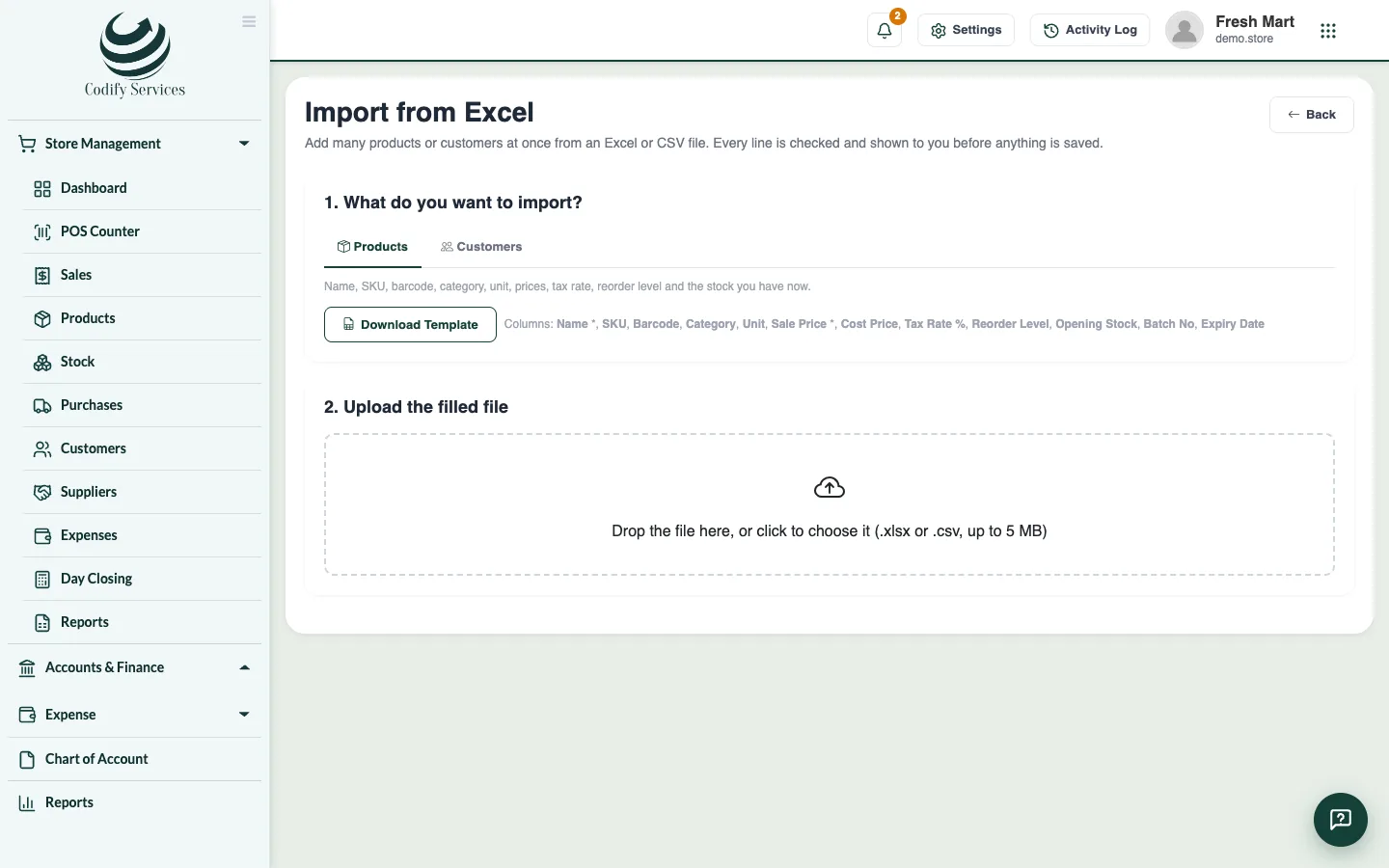
Add many products or customers at once from an Excel or CSV file. Every line is checked and shown before anything is saved.
When you start, you can bring in your whole product list or customer list from Excel instead of typing each one.
Steps
- Open Sidebar > Store Management > Products and press Import (or Import on Customers).
- Under 1. What do you want to import?, choose Products or Customers.
- Press Download Template and fill it in. Keep the headings in the first line.
- Under 2. Upload the filled file, drop the file or click to choose it (.xlsx or .csv, up to 5 MB).
- Check the lines. Each one is Ready or shows its errors. Tick Only lines with errors to see the problems.
- Press Import .... Lines with errors are left out.
- Under 3. Done, see what was added and skipped. Press Download the skipped lines to fix them and import them again.
Good to know
- Columns marked * are required.
- You need the right to add products (Can Manage Store Products) or customers.
- You can also export your products, stock and lists to Excel or CSV with the buttons on each page.
Related
More in Products and stock
Track serial numbers and IMEIFor mobiles and electronics - scan one serial number per unit when you buy and sell, find any serial's history and check the shelf.More shops and warehouses, and stock transfersAdd a second shop or warehouse, sell and count stock by location, and send stock from one location to another.Add products and categoriesAdd what you sell with its barcode, cost and sale price, tax, reorder level and opening stock, and group products in categories.Make barcodes and print labelsGive products without a barcode one of their own and print barcode labels with the price on an A4 sheet or a label printer.Sell a product in sizes and coloursMake one product with variants (size, colour, material), each with its own barcode, price and stock, and pick the variant at the counter.See your stock and adjust itSee how much of each product you have and what it is worth, correct the stock with a reason, and check every movement in and out.
Ready to try it? Open Codify Store (POS)