
Codify Store (POS) · Buying and suppliers
Enter a purchase from a supplier
Record stock that came in from a supplier, update cost and sale prices, pay now or later, and pay the supplier's account.
A purchase is what came in from a supplier. It adds to your stock and updates the cost price (to the average cost). What you do not pay now is owed to the supplier.
Steps
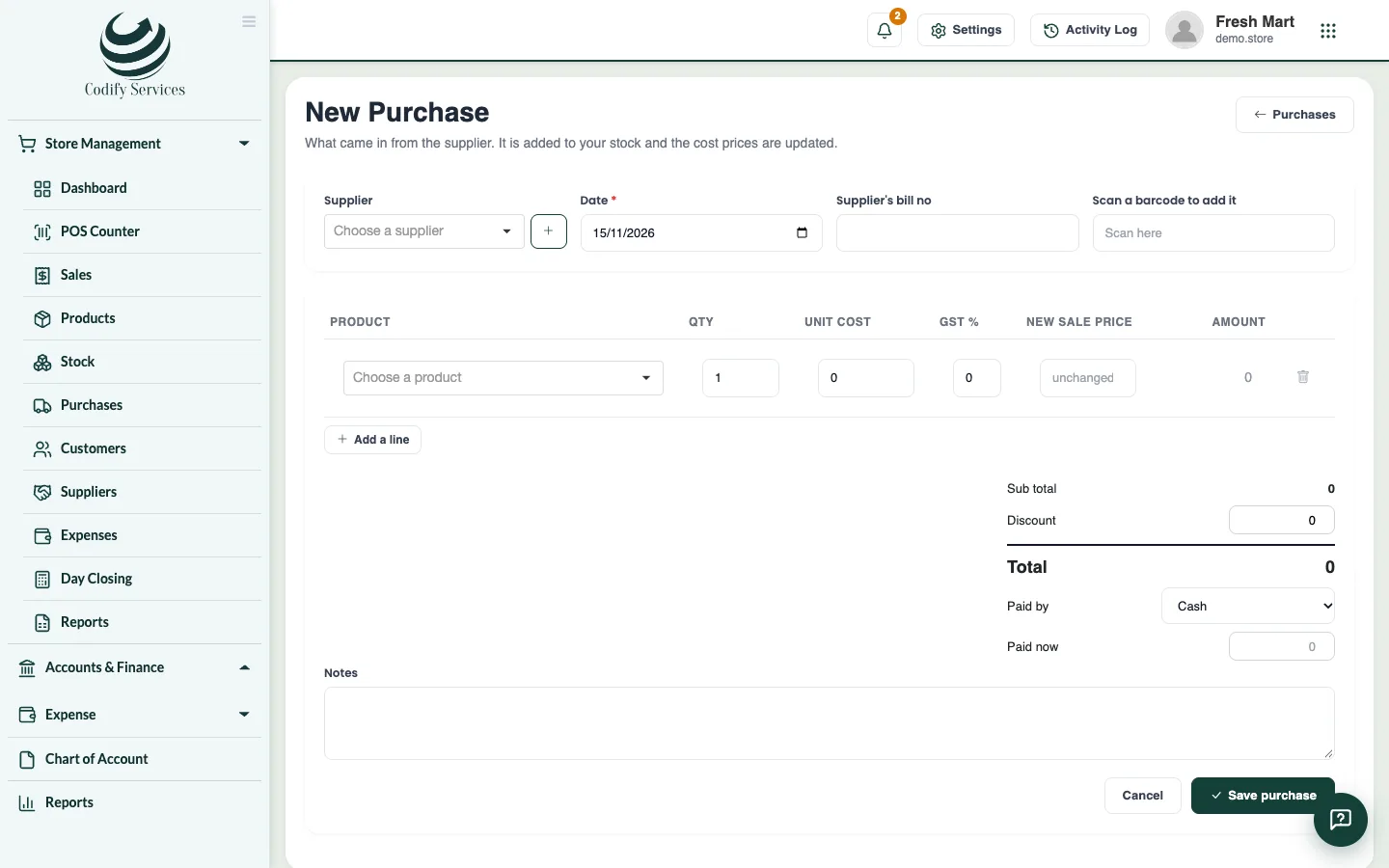
- Open Sidebar > Store Management > Purchases and press New Purchase.
- Choose the Supplier (or add a new one), the Date and the Supplier's bill no.
- With more than one location, choose where it Comes in at.
- Scan each product's barcode (or Add a line) and enter the Qty, Unit cost, tax % and, if you like, a New sale price.
- For products with batches or serial numbers, enter the batch and expiry, or scan the serials.
- Enter any Discount, choose how it was Paid by and how much is Paid now. The rest shows as Owed to the supplier.
- Press Save purchase.
Pay a supplier
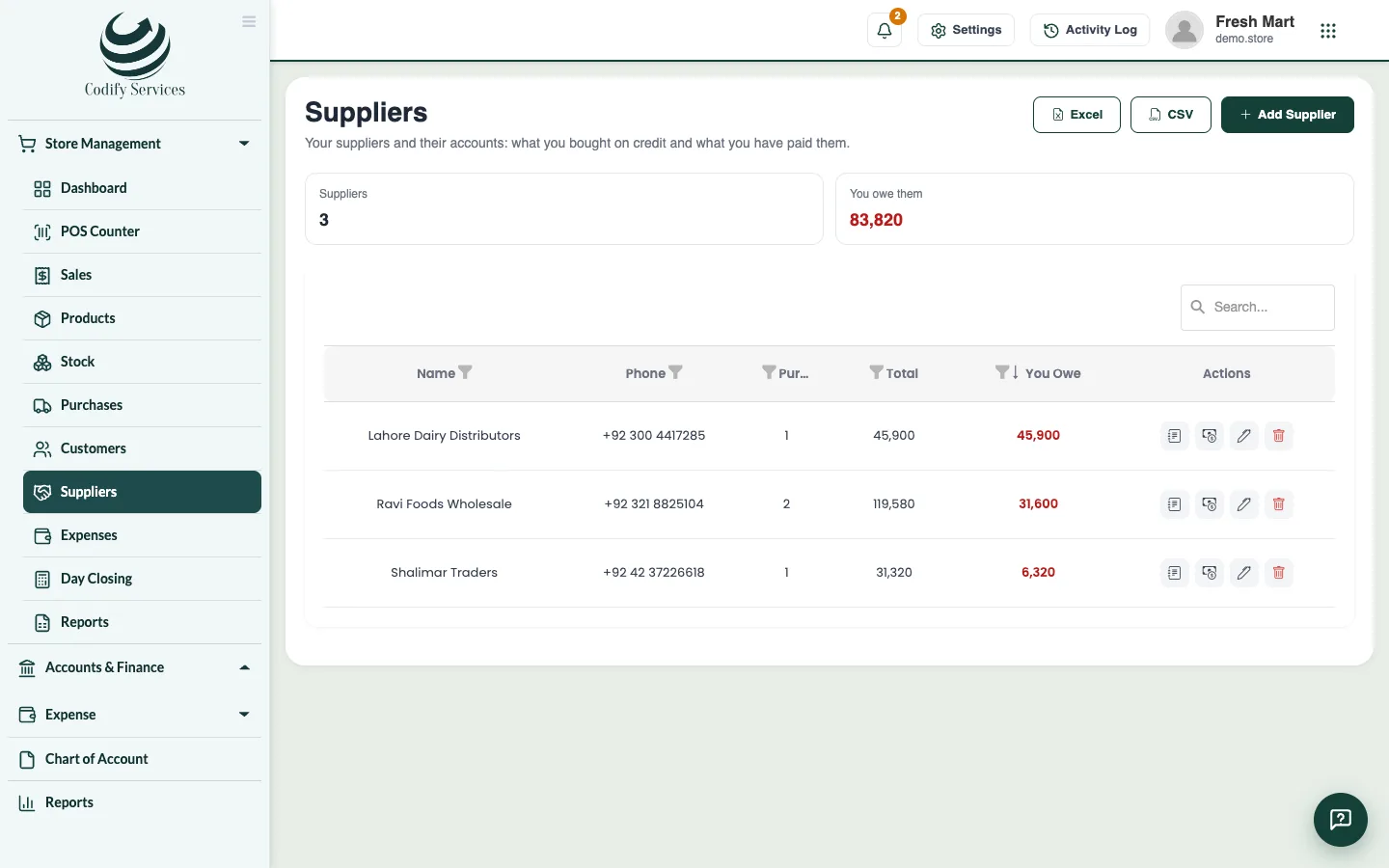
- Open Sidebar > Store Management > Suppliers.
- Press Pay supplier on the supplier's line, enter the Amount, how it was paid and the Date, and press Save payment.
- Press Statement to see and print the supplier's account.
Good to know
- A purchase entered by mistake can be cancelled: open it in Purchases and press Cancel purchase. Its stock goes out again.
- Tax paid on a purchase is claimed back from the tax you collect, so it is not part of the cost of your stock.
- Purchases and suppliers need the Purchases permission. A cashier does not see them.
Related
More in Buying and suppliers
Ready to try it? Open Codify Store (POS)