
Codify Store (POS) · Reports and accounts
Post store activity to your accounts
Post sales, returns, purchases, payments, expenses and stock changes to Finance by themselves, choose the accounts and post the opening stock.
Codify Store can keep your books for you. Once posting is on, every sale, return, purchase, payment, expense, cash in / out and stock change goes into Finance as a voucher that balances, and shows in your ledgers and financial reports.
Before you start
- Finance needs an open fiscal year for today. Vouchers cannot be posted without one.
Steps
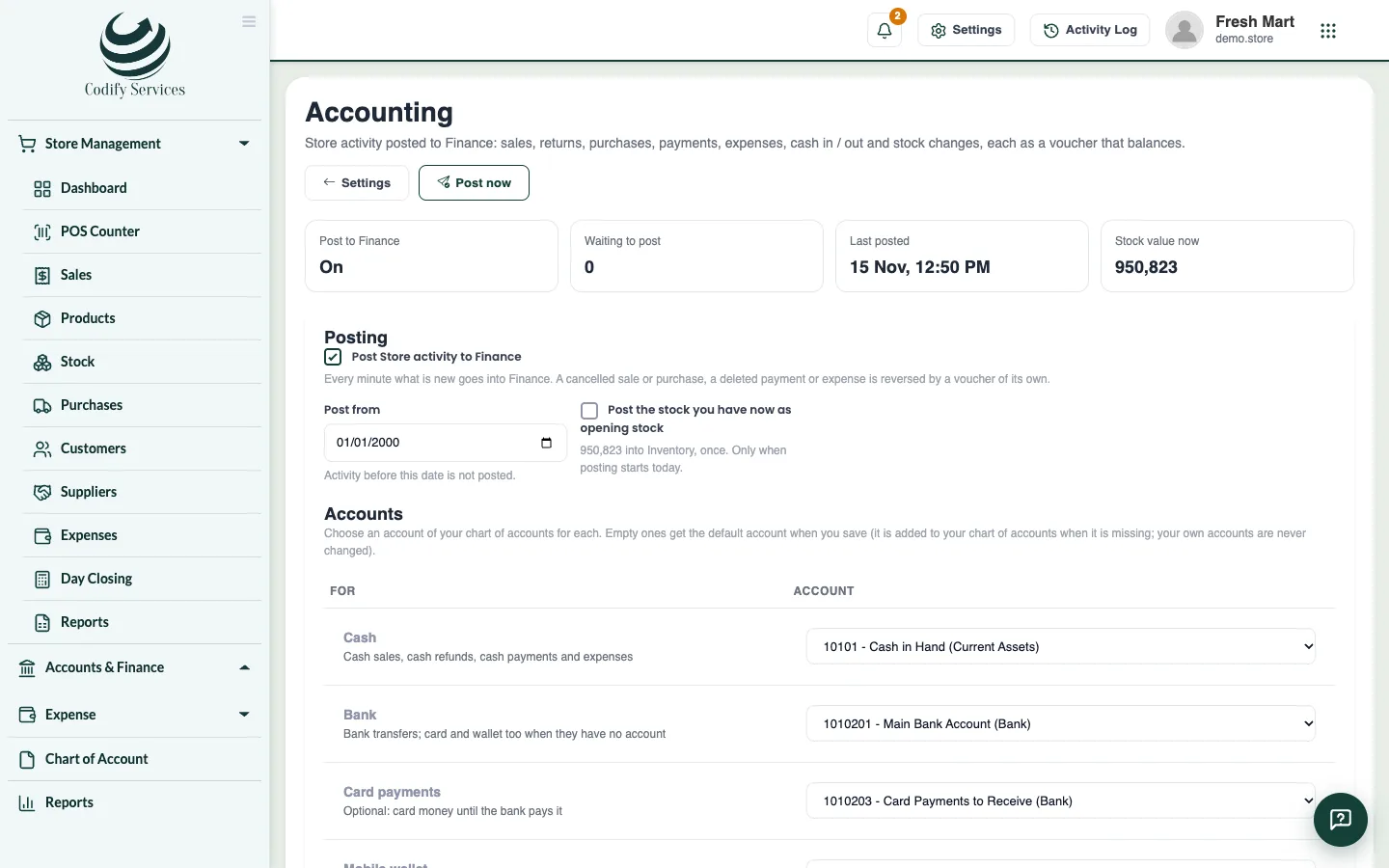
- Open Store Settings and, under Accounting, press Accounting settings.
- Under Accounts, choose an account of your chart of accounts for each line (Cash, Bank, Customers, Suppliers, Sales income, Sales tax, Input tax, Inventory, Cost of goods sold, Stock adjustments, Expenses, Gift cards, Loyalty points ...). Press Add the missing default accounts to fill the empty ones.
- Tick Post Store activity to Finance.
- Choose Post from: activity before this date is not posted.
- If you start today, tick Post the stock you have now as opening stock to put your stock value into Inventory, once.
- Press Save.
Good to know
- Every minute what is new is posted. Post now posts it at once. Waiting to post shows what is still to go.
- A cancelled sale or purchase, or a deleted payment or expense, is reversed by a voucher of its own.
- A sale's page shows its voucher number in Finance.
- Your own accounts are never changed; a missing default account is added to your chart of accounts.
- See the vouchers and ledgers under Accounts & Finance in the sidebar.
Related
More in Reports and accounts
Ready to try it? Open Codify Store (POS)