
Codify Store (POS) · Selling at the counter
Take a return or cancel a sale
Take back items from a sale and give the money back in cash, card, wallet or to the customer's account, or cancel a sale made by mistake.
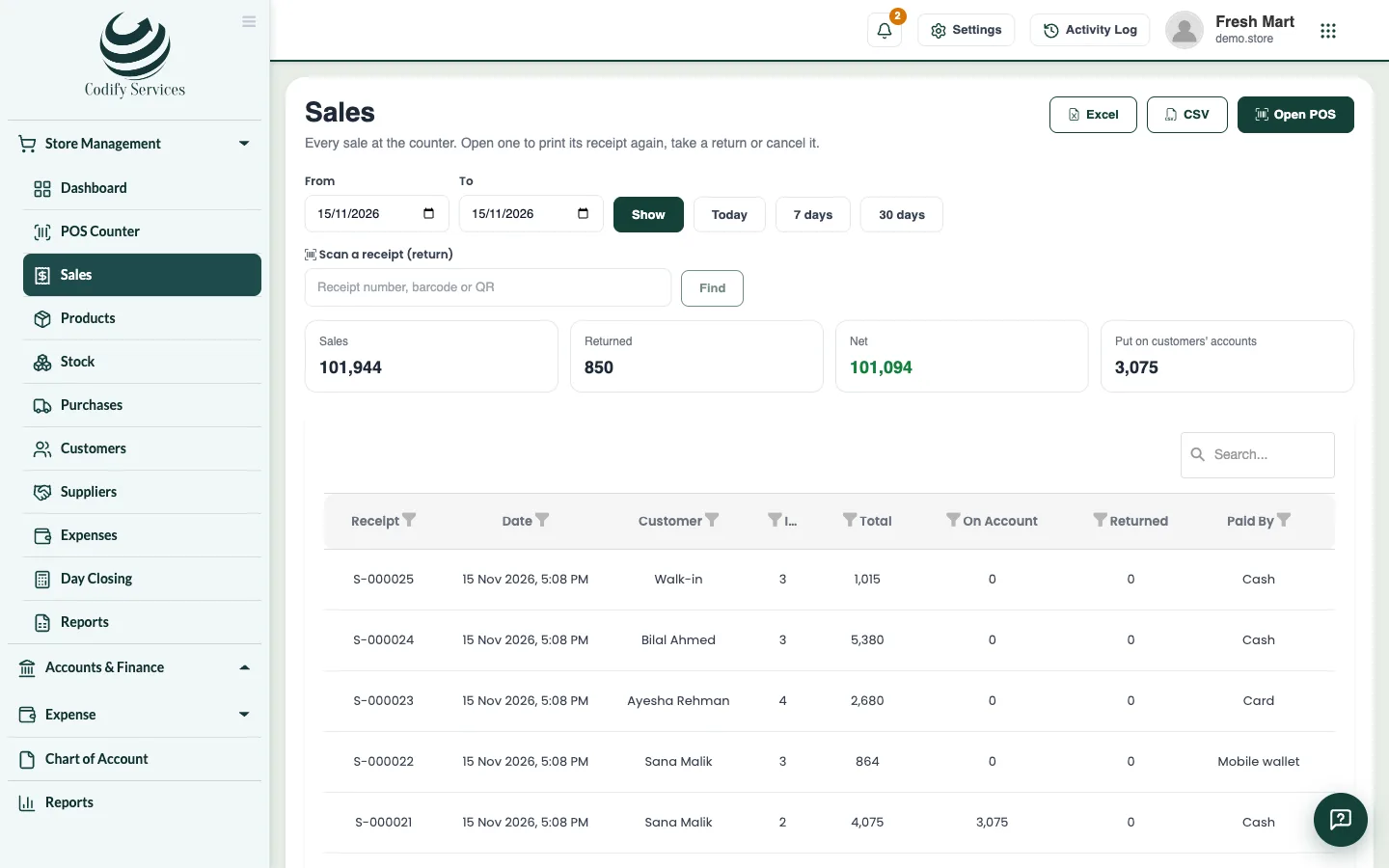
The Sales page lists every sale at the counter. Open a sale to print its receipt again, take a return, or cancel it.
Steps
Take a return
- Open Sidebar > Store Management > Sales.
- Scan the receipt's barcode or QR in Scan a receipt (return) and press Find, or find the sale in the list and open it.
- Press Return.
- Enter how many of each item came back under Coming back, or press Return everything.
- Choose how the Money goes back as: Cash, Card, Bank transfer, Mobile wallet or Customer's account.
- Enter the Reason and press Save return.
Cancel a sale
- Open the sale.
- Press Cancel sale and type why. Its stock comes back.
Good to know
- The stock of returned items comes back.
- If part of the sale was not paid, that part can only go back to the customer's account.
- A sale can be cancelled only if nothing was returned from it and its register is still open. Otherwise take a return.
- Returns need the Returns permission; cancelling needs Cancel Sales.
- Filter the sales by dates (Today, 7 days, 30 days) and location. The top shows sales, returned, net and what was put on customers' accounts.
Related
More in Selling at the counter
Sell at the POS counterScan or search products, change quantities and discounts, choose a customer, put a sale on hold and recall it, with keyboard shortcuts.Take payment by cash, card, split, credit or gift cardTake cash with change, card, bank transfer or mobile wallet, split one sale over several ways, put the rest on the customer's account.Open and close the register (day closing)Open your register with the cash in the drawer, record cash in and out, print an X report, and count the cash at day closing.Print or send receiptsPrint receipts on 58 mm or 80 mm printers or as an A4 invoice, with your logo and QR code, a gift receipt, or send them by email or WhatsApp.
Ready to try it? Open Codify Store (POS)