
Property Management · Selling units (builder)
Transfer a unit to a new owner
For builders - transfer a sold unit's file from its owner to a new buyer, charge the transfer fee and print the transfer letter.
When an owner sells their unit on, the file is transferred to the new owner. The transfer fee is recorded and a transfer letter can be printed.
Before you start
- Register the new owner under Top menu > Member > Member.
Steps
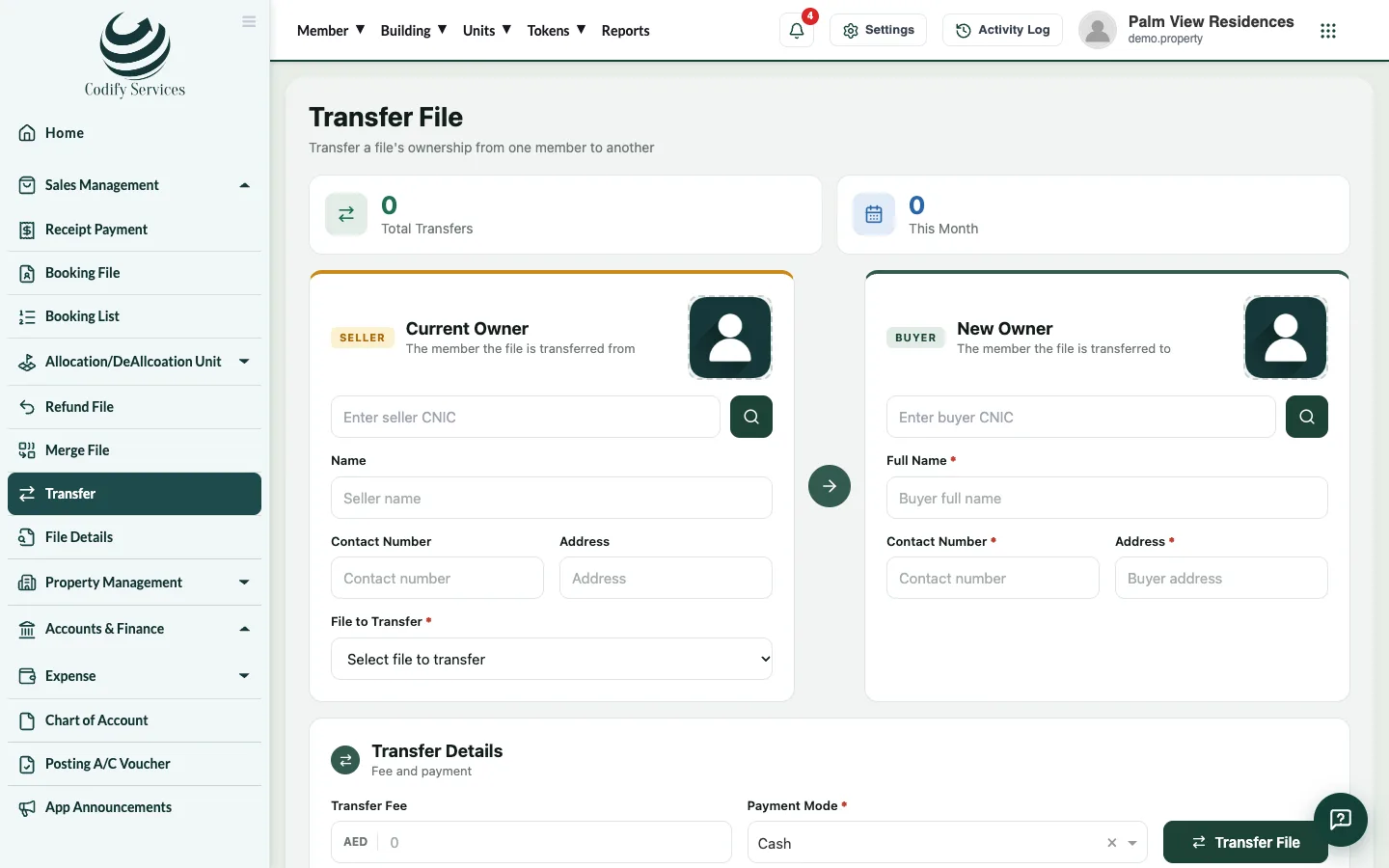
- Open Sidebar > Sales Management > Transfer.
- Under Current Owner, find the owner and choose the File to Transfer.
- Under New Owner, find the new owner.
- Under Transfer Details, enter the Transfer Fee and the Payment Mode (with the cheque number and bank if it is a cheque).
- Press Transfer File.
- Find the transfer in Transfer History and print the transfer letter from its line.
Good to know
- The unit's file keeps its payment history; the new owner pays what is left.
- On Units & Residents, Owners from Sales moves out the old owner of a transferred unit and brings in the new one.
Related
More in Selling units (builder)
Sell a unit with a booking and installment planFor builders - book a unit for a buyer, set the price and discount, build the installment plan and add the dealer's commission.Receive a buyer's installmentFor builders - find the buyer's file, see the installment schedule, receive a payment, give a discount and print the receipt.Allot a unit and give possessionFor builders - allot a unit to a buyer's file, free it again if needed, and print the possession letter.Dealers and their commissionFor builders - add dealers and agencies with their commission rate, see what each has earned and pay their commission.
Ready to try it? Open Property Management