
Property Management · Units and residents
Add towers, floors and units
Add all the flats, shops and offices of a tower in one go, or add a single unit with its type, size and area.
Every apartment, shop and office in your building is a unit. You can add all the units of a tower at once (floor by floor), or one unit at a time.
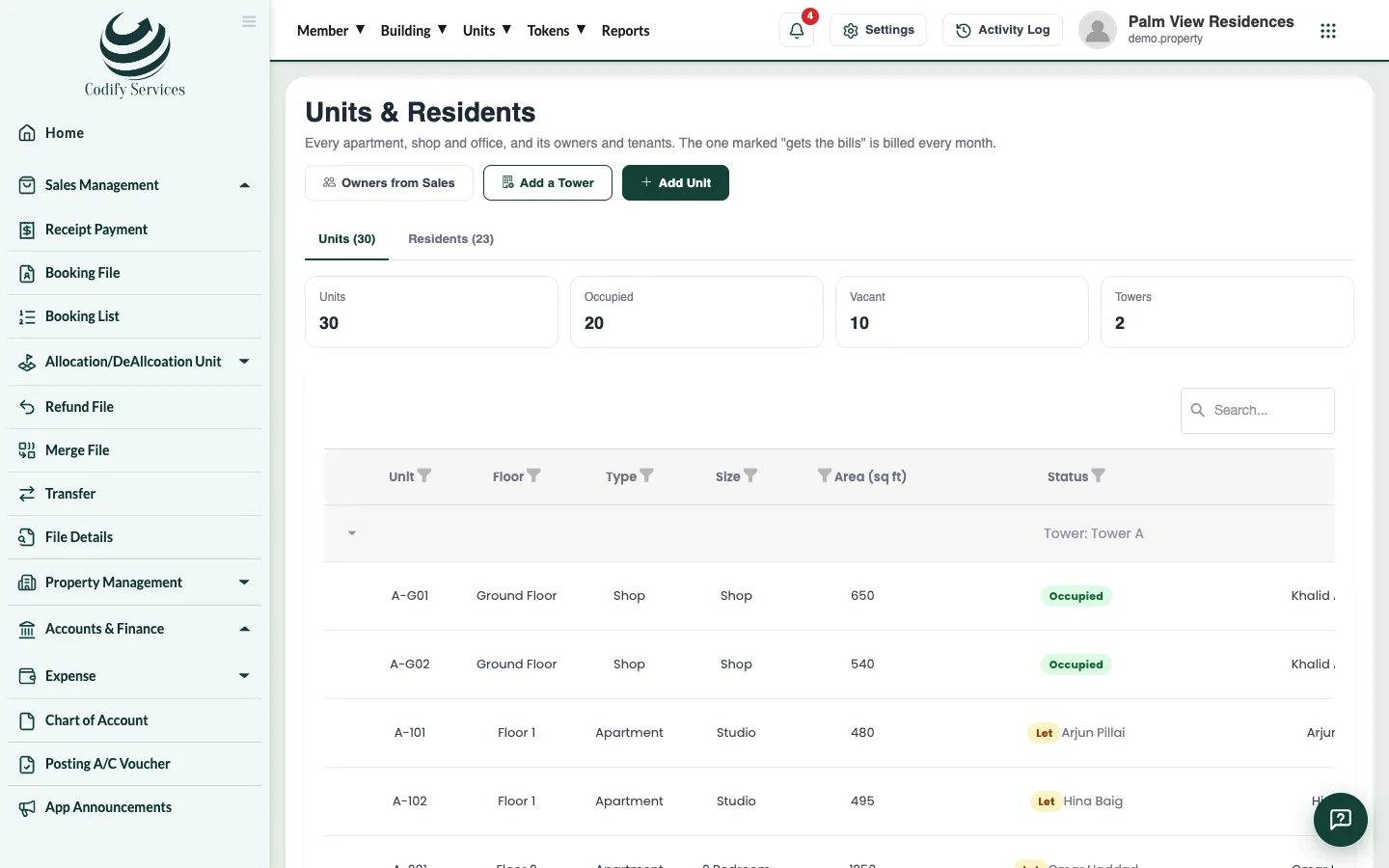
Steps
Add a whole tower
- Open Sidebar > Property Management > Units & Residents.
- Press Add a Tower.
- Enter the Tower / building name and the text to put Before each number (for example
A-). - Enter From floor (0 = Ground), To floor and Units on each floor.
- Choose the Type and Size, and enter the Area of each (sq ft).
- Check the sample line (for example "24 units: A-G01, A-G02 ...").
- Press Add ... units.
Add one unit
- On Units & Residents, press Add Unit.
- Choose the Tower / building and enter the Floor and Unit number.
- Choose the Type, Category and Size, and enter the Area (sq ft).
- Press Save.
Good to know
- Ground-floor units are numbered G01, G02 ...; the floors above 101, 102 ... 201 ... A unit that is there already is left as it is.
- The Area (sq ft) matters if a monthly charge is "so much per sq ft".
- The list shows each unit's status (occupied or vacant), who gets the bills and what it owes. Use the filter to show occupied or vacant units only.
- Units are the same units a builder sells on the sales pages (Booking File and so on).
- Your role needs the Units permission under Property Management.
Related
More in Units and residents
Give owners the mobile appMake or reset an owner's mobile app password, send it on WhatsApp, and post announcements the owners see in the app.Add owners, tenants and family membersAdd the residents of each unit, choose who gets the bills, bring in owners from your sales records and mark people who move out.
Ready to try it? Open Property Management