
Property Management · Leases and rent
Let a unit with a lease and monthly rent
Record a tenant's lease with the monthly rent, its yearly increase, the security deposit and the end date.
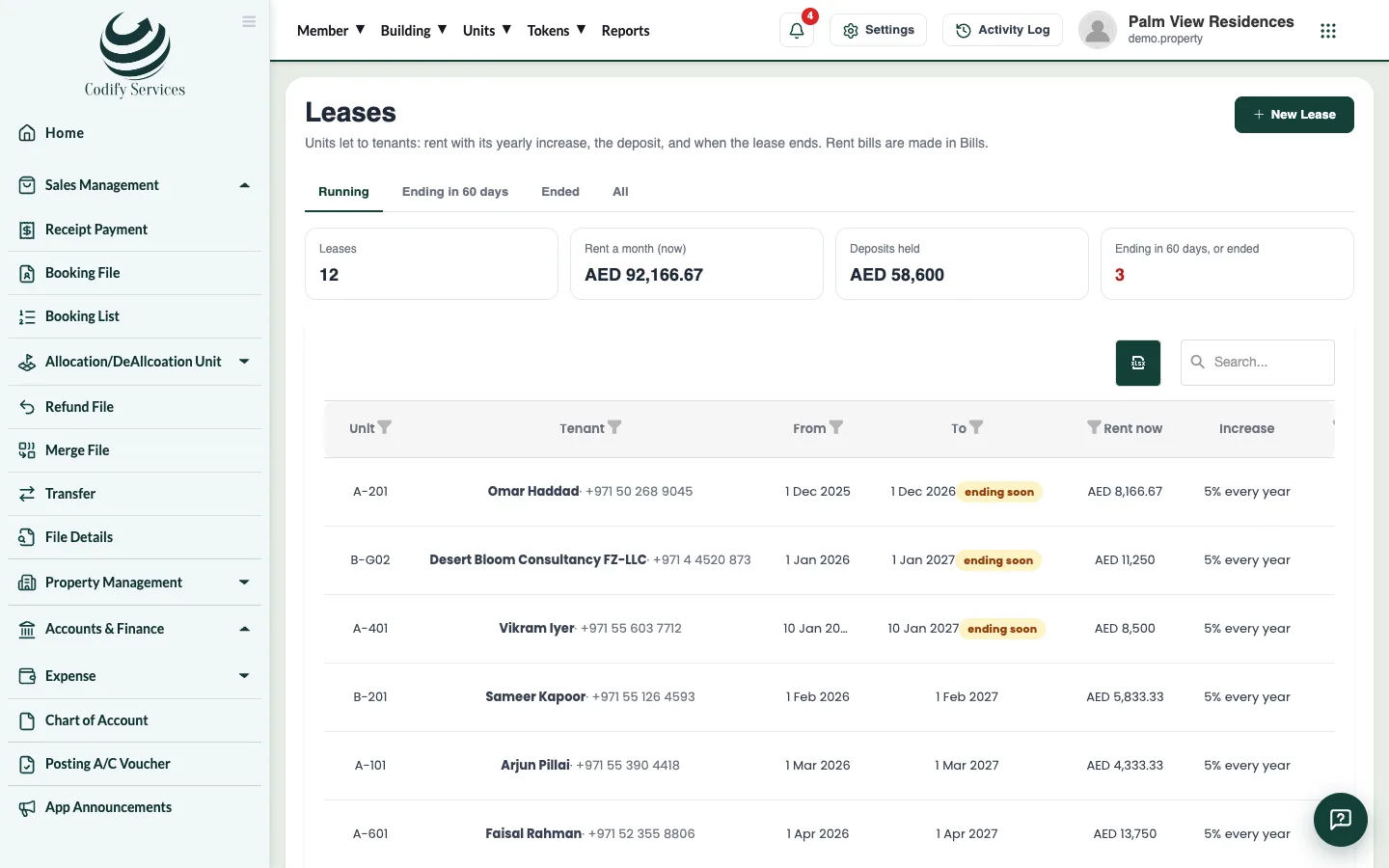
A lease says who rents a unit, from when to when, the monthly rent and how it goes up. The rent bills are made from the running leases.
Steps
- Open Sidebar > Property Management > Leases.
- Press New Lease.
- Choose the Unit.
- Under Tenant, choose a resident, or A new tenant and enter the Tenant's name, Phone, CNIC / passport and Email.
- Enter the date it Starts and the date it Ends (empty: open).
- Enter the Monthly rent and the Security deposit.
- Enter Rent goes up by (%) and how often: Every year, 6 months, 2 years or 3 years.
- Add a Note if you like and press Save.
Good to know
- When the tenant pays the deposit, press the Deposit received button on the lease's line. See End a lease and give the deposit back.
- A change of rent is used for the bills made from then on.
- The filters Running, Ending in 60 days, Ended and All help you find leases. The dashboard also counts leases ending in 60 days.
- Your role needs the Leases permission under Property Management.
Related
More in Leases and rent
Ready to try it? Open Property Management