
Accounts & Finance · Vouchers
Find, print and post vouchers in the Voucher List
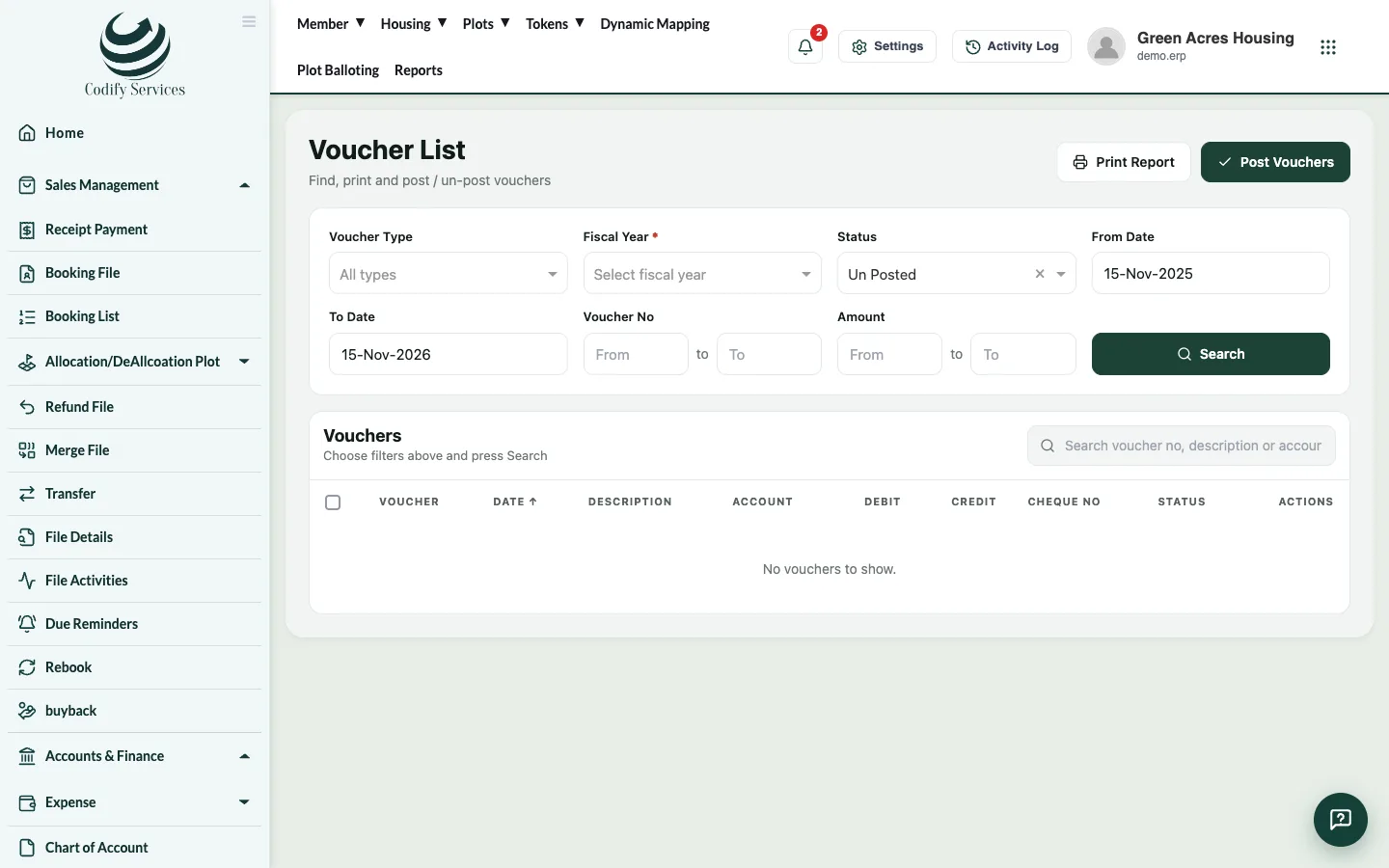
Search vouchers by type, fiscal year, status, date, number or amount, open one, print it or the whole list, and post or un-post them.
The Voucher List shows every voucher with its date, description, accounts, debit, credit, cheque number and status.
Steps
- In the sidebar, open Accounts & Finance > Expense > Vouchers List.
- Choose the Voucher Type, Fiscal Year, Status, From Date and To Date, or type a Voucher No or Amount.
- Press Search.
- Press Open on a voucher to see or change it.
- Press Print Report to print the list, or print one voucher from its page.
Good to know
- Tick vouchers to post or un-post several at once.
- The Reports window opens the same list as CP Voucher Detail, CR Voucher Detail, BR Voucher Detail, JV Voucher Detail, Voucher Printing and Voucher List Printing.
- Land vouchers can't be posted or un-posted here; the land deal keeps them.
Related
More in Vouchers
Post receipts and bookings to accountsUse Posting A/C Voucher to post member bookings, receipts, refunds and discounts into your accounts as vouchers.Make and post a voucherEnter a journal, cash or bank voucher with its accounts and amounts, save it, then post it so it counts in your ledgers and reports.Which voucher type to useWhen to use a Journal, Cash Payment, Cash Receipt, Bank Payment or Bank Receipt voucher, and the vouchers the software makes by itself.Record an expenseRecord an office or site expense, such as salaries, electricity or fuel, with a cash or bank payment voucher.
Ready to try it? Open Accounts & Finance