
Accounts & Finance · Set up
Add and open a fiscal year
Add your financial year with its start and end dates, open it for posting, and close it when the year is done.
Every voucher must fall inside an open fiscal year. Postings outside an active fiscal year are refused.
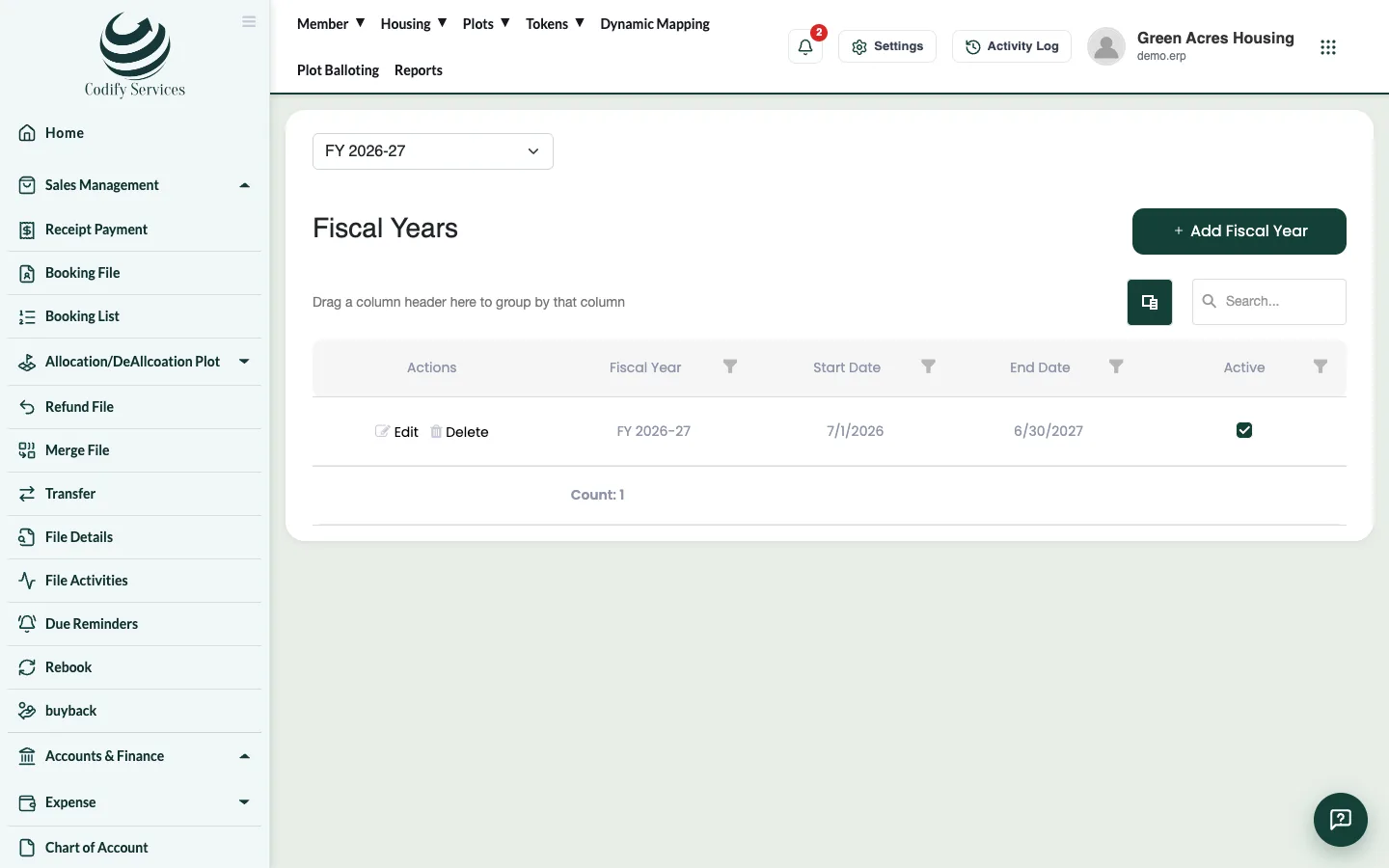
Steps: add a fiscal year
- Press Settings (the gear) at the top right.
- Under Setup & Configurations, press Fiscal Year.
- Press Add Fiscal Year.
- Enter the Fiscal Year Name (for example 2026-27), the Start Date and End Date, and tick Is Active.
- Save.
- Press Open on the year and confirm, so postings are allowed.
Steps: close a year
- Press Close on the year and confirm.
- No more postings are allowed in it.
Good to know
- Opening and closing a year are separate permissions; ask your administrator if the buttons are missing.
- Edit changes the dates or name. A closed year can't be deleted.
- Add the next year before the current one ends, so receipts on the first day are not refused.
- On the voucher page, the active fiscal year shows under the title.
Related
More in Set up
Set up Accounts & FinanceThe order to set up your accounts once - fiscal year, chart of accounts, banks and system accounts - so every receipt and voucher posts correctly.Work with the chart of accountsSee all your accounts as a tree, add accounts and sub-accounts, edit or deactivate them, and print the chart of accounts.Add your bank accountsAdd each bank account your society uses and link it to its account in the chart, so bank receipts and payments post to the right place.Link system accountsTell the software which account each automatic posting uses - cash, income, member receivable, commission, refund fee and more.
Ready to try it? Open Accounts & Finance