
Accounts & Finance · Reports
Cash flow statement
See the cash your society received and paid out in a period.
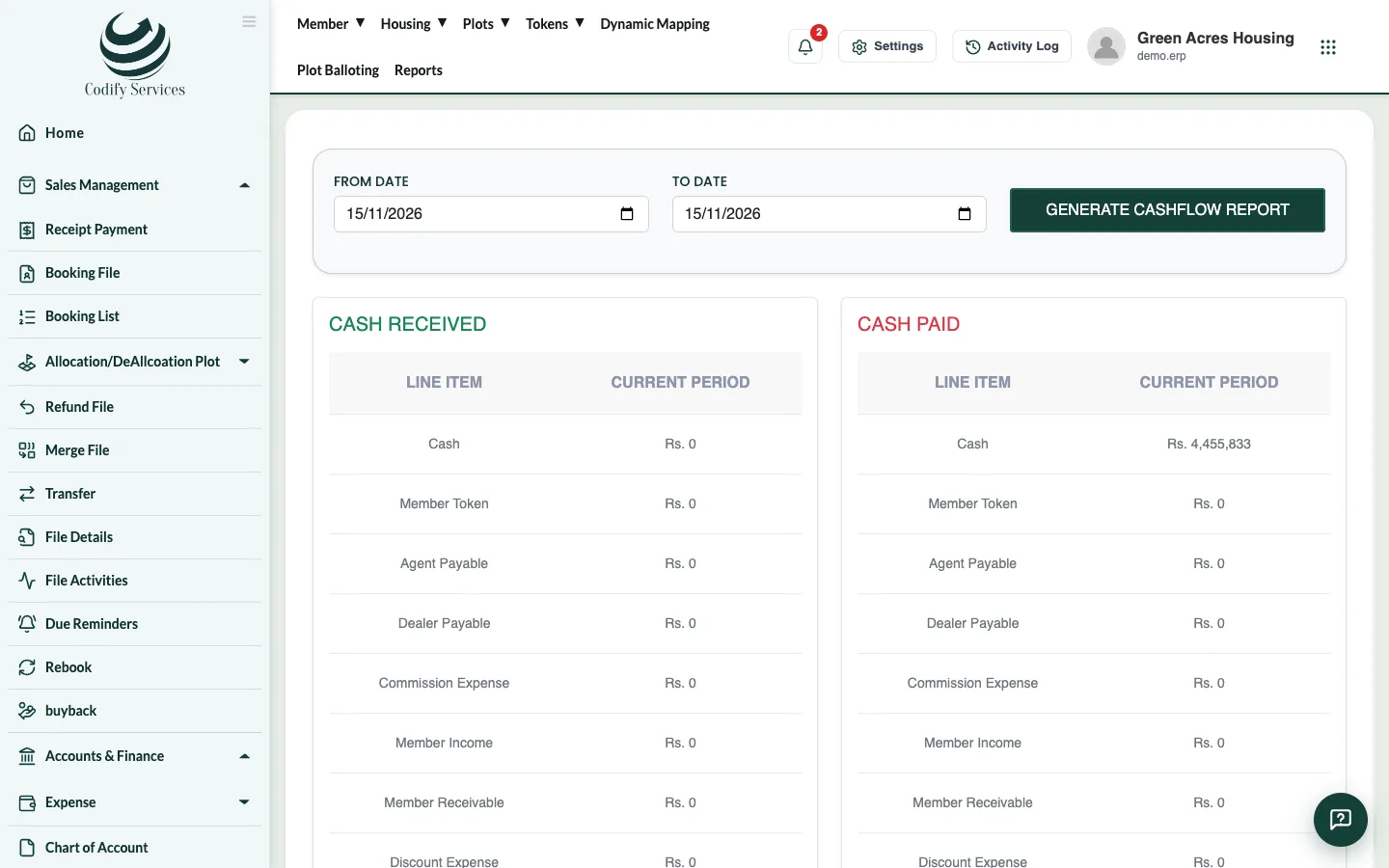
The cash flow statement shows where cash came from and where it went in a period.
Steps
- Press Reports in the top menu.
- Open Finance & Accounts > Cash Flow Statement.
- Choose the From Date and To Date.
- Press Generate Cashflow Report.
Good to know
- The report shows Cash Received and Cash Paid, line by line.
- Only posted vouchers are counted, so post receipts first.
Related
More in Reports
View an account's ledgerSee every entry of one account for a period with the opening balance, debits, credits and running balance, then print or export it.Run the trial balanceSee the opening balance, debits, credits and closing balance of every account for a period, as a tree or net balances.Profit and loss statementSee your income, expenses and profit or loss for any period.Balance sheetSee your assets, liabilities and equity for a period, with a breakdown of your assets.Daily report and day closingSee every voucher of one day in the day book, and the day closing summary of collections, deposits and payments, then print or email it.
Ready to try it? Open Accounts & Finance